It is the end of the reporting period. The compliance manager exports enrolments, opens the file and starts working through it. A postcode is missing here. A date of birth looks wrong there. Three learners have no verified USI. One was enrolled twice under slightly different spellings of the same name. Every fix means going back to the source, which might be the CRM, a paper form or an email thread.
A month later an auditor asks who changed a particular learner’s result, and when. Nobody is quite sure.
We have spent over 20 years working in the RTO space. We know how much rides on this work and the headaches that come with doing it across separate tools. That is why we built Nytro as one platform, an ERP designed specifically for RTOs, with compliance built into the same system that captures the data. This article covers what RTOs must get right, what is out there today, and what we have added.
What RTOs have to get right
A few obligations sit under almost everything a compliance manager does.
AVETMISS and total VET activity. RTOs must collect data from their students and report all of their nationally recognised training activity to the National Centre for Vocational Education Research (NCVER) at least annually, in line with the AVETMISS standard. The USI forms part of that data.
The Unique Student Identifier. Unless an exemption applies, an RTO must verify a learner’s USI before it issues a qualification or statement of attainment. ASQA recommends verifying it at enrolment to avoid delays later.
The Standards for RTOs. The 2025 Standards for Registered Training Organisations came into effect on 1 July 2025, and they are the framework audits now work from.
Keeping evidence. Under the 2025 Standards for RTOs, assessment evidence for learners who complete on or after 1 July 2025 must be kept for two years, and produced on request.
None of this is news to an experienced compliance manager. The hard part is not knowing the rules. It is getting clean data and a clear record out of a stack of separate systems.
What is out there today
Most RTOs run compliance across a mix of:
- A student management system holding enrolments and AVETMISS data.
- A general CRM holding enquiry details.
- A separate LMS or assessment platform holding results and evidence.
- Spreadsheets for USIs still to chase, intakes and anything else that falls between systems.
- Paper for enrolment forms, logbooks and sign-offs.
aXcelerate, Cloud Assess and HubSpot are names that come up often, and each is a capable product. Student management systems are built to handle AVETMISS. The headache is not one tool. It is that compliance is where the gaps between every other system arrive at once.
What the patchwork costs
Errors found late. Data keyed twice can be wrong twice, and the mistakes show up at submission time, not at enrolment.
Partial audit trails. Each tool may log its own changes, but following one learner across several systems means piecing logs together.
Access that drifts. When staff have accounts in four tools, it is easy for someone to keep access they no longer need.
Deletions that cause anxiety. If something is removed in error, getting it back can take time.
Reminders that depend on people. Follow-ups rely on someone remembering to send them.
What we built: compliance inside the system that captures the data
Nytro’s administration features are designed to run compliance and admin without the scramble.
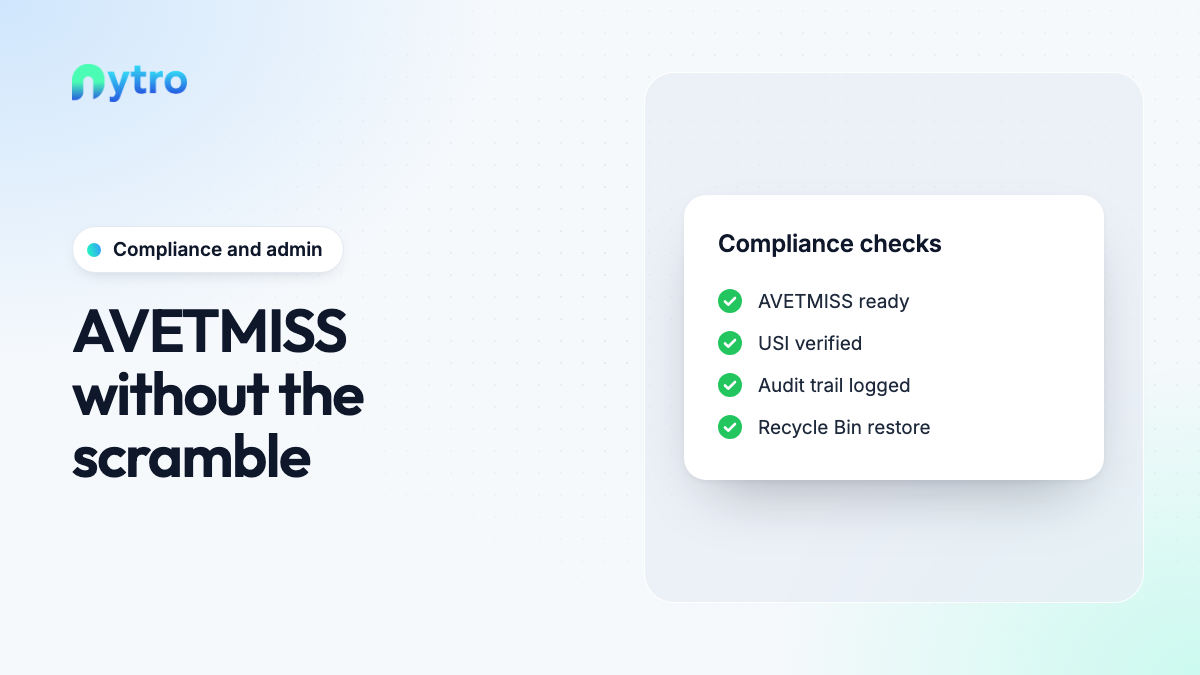
AVETMISS tools. AVETMISS data is managed inside the platform that captured it, so what you check at reporting time is what was captured at enquiry and enrolment. The aim is AVETMISS-ready data all year, not a clean-up at the end.
USI records. USIs are recorded and verified against the learner’s record, so you can see who is verified and who needs follow-up well before a certificate is due.
Audit trails. Changes are logged. When an auditor or your own compliance manager asks who changed something and when, the answer is on the record.
Roles and permissions. Access is set by role, in one place. When someone leaves, their access is removed once.
Bulk imports. Learner and enrolment data can be brought in at volume, which matters when moving from another system or onboarding a large employer group.
Recycle Bin. Deleted items go to a Recycle Bin rather than disappearing, so a mistake can be put right.
Automated reminders. Reminders go out automatically, so routine follow-ups no longer depend on someone remembering to send them.
Why one record is the innovation
Having AVETMISS tools is not what sets us apart. What sets us apart is where the data comes from.
In a patchwork, compliance data is assembled at the end from several sources. In Nytro it is captured once, at the source, and stays on one record. The details a learner entered on an enquiry form in our CRM become their enrolment details. Their evidence from the learner portal sits on the same record. Their results from the assessor workspace, their USI status and their change history are all in one place.
That is what we mean by an ERP built for RTOs: one system shaped around how an RTO actually runs, so compliance is a by-product of doing the work properly rather than a separate project before every deadline.
How it plays at audit time
Picture the auditor’s questions, and where the answers come from.
Show me this learner’s enrolment, evidence and result. One record, with evidence attached.
Who changed this result, and when? The audit trail on the record.
Was the USI verified before this statement of attainment was issued? The USI record shows its status.
Who can access learner records? Roles and permissions, in one place.
Audits are meant to be thorough, and no software changes that. What changes is that your team spends audit week answering questions instead of hunting for files. Paired with quality and moderation, the compliance picture is visible all year.
Who it helps
Compliance managers get cleaner AVETMISS data, visible USI status and an audit trail they can rely on.
Admin and student services stop rekeying data between systems and chasing follow-ups by hand.
Trainers and assessors work inside clear permissions, with changes logged rather than questioned later.
CEOs and owners get confidence that reporting and audit readiness do not depend on one person’s spreadsheet.
Frequently asked questions
What is AVETMISS reporting software?
It helps an RTO collect, check and prepare training activity data in line with the AVETMISS standard for reporting to NCVER. In Nytro, AVETMISS tools sit alongside USI records, audit trails and the learner’s full record.
How often do RTOs report to NCVER?
RTOs must report their total VET activity to NCVER at least annually, and some report more often. Funding arrangements can change where and how you report, so check your own requirements.
When does an RTO need to verify a learner’s USI?
Unless an exemption applies, the USI must be verified before a qualification or statement of attainment is issued. ASQA recommends verifying it at enrolment.
When did the 2025 Standards for RTOs start?
The 2025 Standards for Registered Training Organisations came into effect on 1 July 2025.
See compliance administration running on your own data. Book a free demo and we will walk your team through Nytro using your own units and resources, including AVETMISS tools, USI records and the audit trail.